
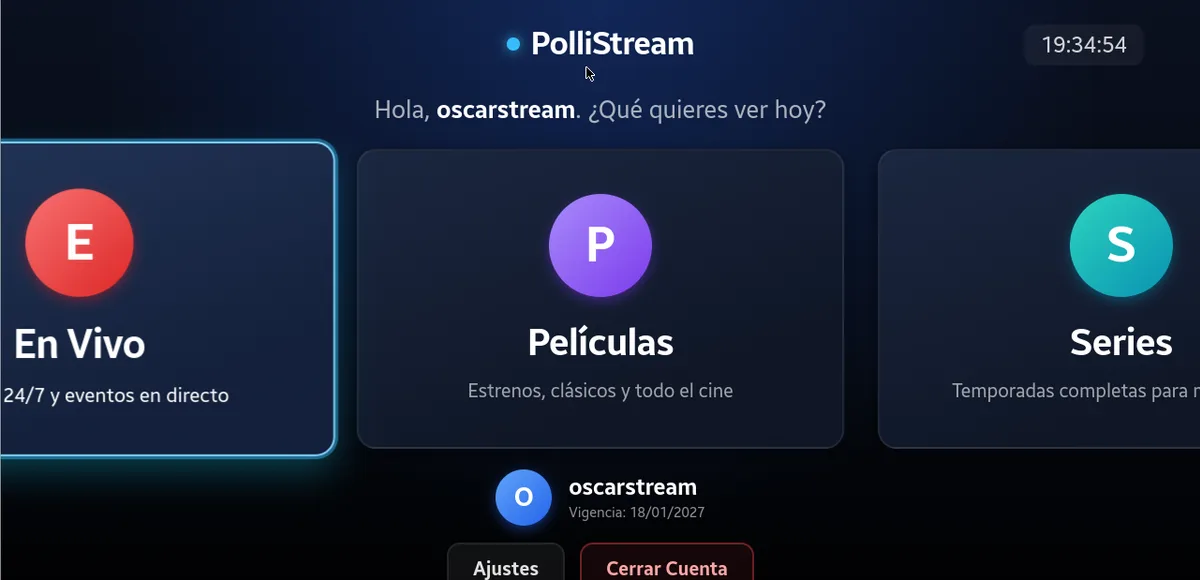
01REMOTE
Remote navigation
Catalog rows and clear focus so you can move without a mouse.
SAMSUNG TIZEN 3.0 · LEGACY
The version for Samsung TVs running Tizen 3.0.
This is the Legacy build for Tizen 3.0. Do not install it on modern Samsung TVs; those will have a separate package.
THE SPEC SHEET
Do not use this package on modern Samsung TVs. Their build will be published separately.
WHAT IT DOES
Catalog rows and clear focus so you can move without a mouse.
Live TV, movies and series with the same order as on your other screens.
Everyone in the house keeps their own history and list.
Four-digit PIN for adult content.
FROM ZERO TO TUNED IN
This package is only for Samsung TVs running Tizen 3.0.
You need the Tizen developer tools and an author certificate.
The TV must accept connections from the computer running Tizen Studio.
Send the package compatible with Tizen 3.0 from the command line.
Configure Xtream and browse the catalog with the remote.
You may also need
TUNE YOUR SCREEN
Choose your device. Find its installation guide and download only packages that are already published.